Dryer Keeps Shutting Off? Use the Timing and Restart Clues
Quick answer
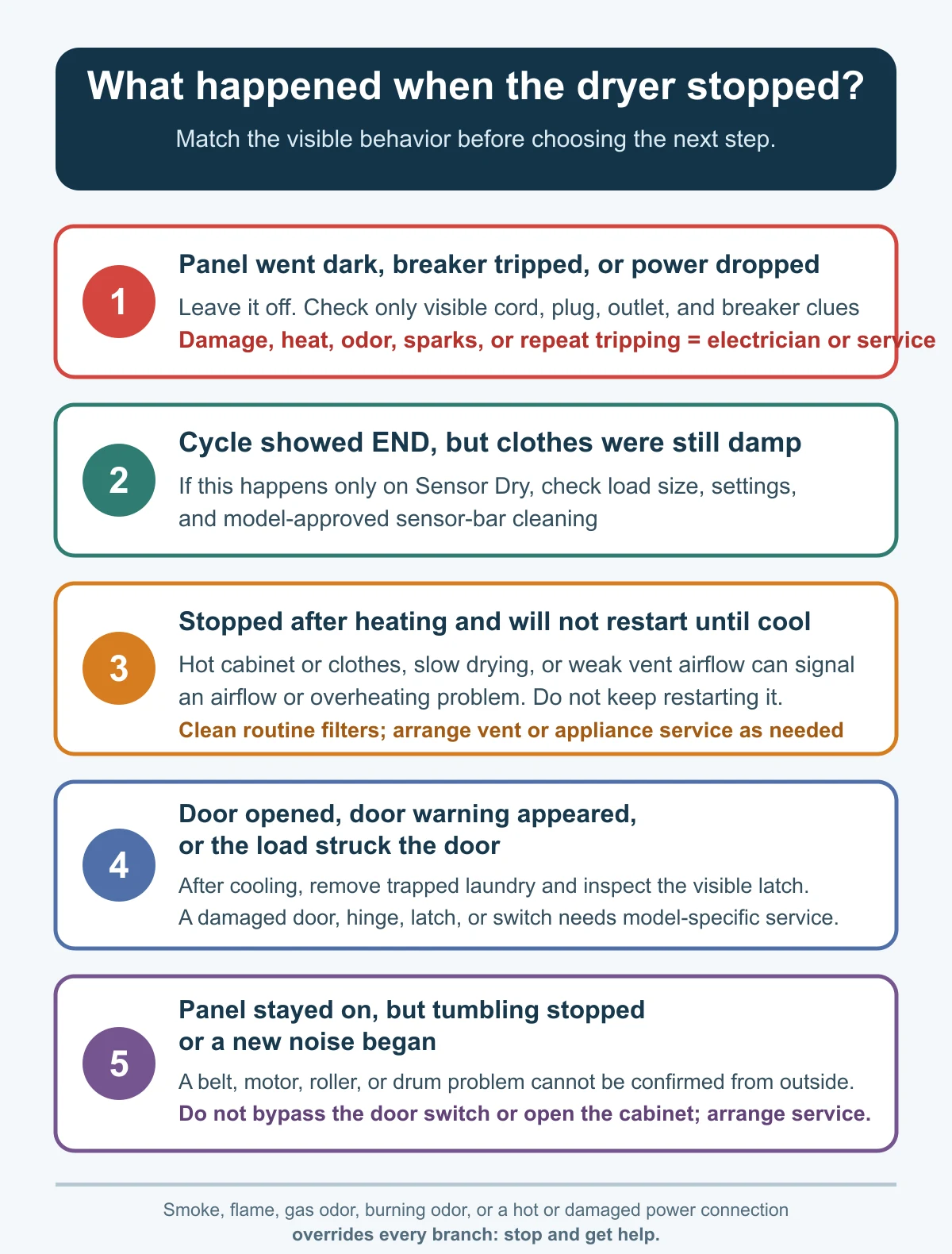
If your dryer keeps shutting off, first note what actually stopped: the whole panel lost power, the cycle displayed END, the drum stopped while the panel stayed on, or the machine would not restart until it cooled. Those patterns lead to different checks. Stop using the dryer immediately if you notice smoke, a burning or gas odor, sparks, a hot or damaged cord or outlet, unusual cabinet heat, or a repeatedly tripping breaker.
Stop and get help: Leave the home and call 911 from outside if you see smoke or flame. If you smell gas, leave without operating switches, plugs, breakers, appliances, or phones inside. Keep the dryer off and arrange qualified help for a burning smell, visible electrical damage, sparking, extreme heat, or repeat breaker trips.
Match the shutdown pattern first
| What happened | What it may mean | Safe first response | Service threshold |
|---|---|---|---|
| The display and lights went completely dark | Interrupted power, a tripped breaker, a loose or damaged connection, or an internal electrical fault | Leave the dryer off; inspect only visible, cool, dry connections after power is isolated | Any heat, discoloration, odor, damage, sparking, or repeat trip needs an electrician or appliance service |
| The cycle displayed END, but clothes were still damp | Sensor-cycle logic, a small or mixed load, a low dryness setting, or residue on sensor bars | Check the selected cycle and manual; clean accessible sensor bars only by the model-approved method | Timed and sensor cycles both stop early, an error returns, or the problem continues after safe external checks |
| It stopped after heating and would restart only after cooling | Restricted airflow, abnormal heat, a strained motor, or another internal heat-related fault | Stop restarting it; clean the routine lint filter and check only the visible, accessible vent route after cooling | Hot cabinet or clothes, weak airflow, slow drying, or repeated cool-down restarts need vent or appliance service |
| The door opened or a door warning appeared | Laundry caught at the door, an overloaded drum, latch or hinge damage, or a door-switch fault | Let the dryer cool, remove trapped items, and inspect the visible door and latch | The door will not stay securely closed, is misaligned or damaged, or the warning returns |
| The panel stayed on, but the drum stopped, hummed, or made a new noise | Belt, motor, roller, drum, or control trouble | Stop the cycle and record the sound and timing | Do not open the cabinet or bypass the door switch; arrange model-specific service |
These clues narrow the next step; they do not confirm a failed component. A thermal fuse, motor, door switch, sensor circuit, belt, thermostat, or control should not be diagnosed from timing alone.
Before another cycle, record four details
Do not immediately press Start again. Write down:
- What stayed on: Did the display go black, show END, keep counting, or show an error?
- When it stopped: Was it within seconds, after several heated minutes, near the end, or only on one cycle?
- Whether it could restart: Did it restart immediately, only after the door moved, only after cooling, or not at all?
- What changed with it: Note unusual heat, slow drying, weak outside airflow, a door movement, humming, scraping, a burning odor, or a breaker trip.
The combination matters more than the elapsed minutes. A sensor cycle that announces END is different from a dryer that abruptly loses all power. A dryer that restarts only after cooling should not be treated like a simple setting problem. Before using model-specific guidance, note the full model number and whether the dryer is gas or electric.
If the whole panel goes dark
When the controls, drum light, and display all lose power, start with the power path—not the moisture sensor. Samsung's current support guidance separates sudden power loss from a dryer that remains powered but ends early. It advises switching off the breaker before interacting with the power cord and stopping for professional electrical help when the cord, plug, or outlet shows damage or burn marks.
After the dryer is off and cool, look only at what is visible and safely reachable. Do not pull a gas dryer away from the wall, move a heavy appliance alone, remove an outlet cover, open the dryer's terminal area, or tighten internal connections. A half-tripped double-pole breaker can be difficult to recognize, but a breaker that trips again is not a reset-and-repeat problem. Leave it off and call a licensed electrician or qualified appliance technician.
If power returns but the dryer will not start, use the separate dryer won't start guide. If the controls remain active while the drum does not move, use the drum and noise branch below instead.
If Sensor Dry ends early but the panel stays on
An automatic sensor cycle is designed to stop when the dryer decides the load has reached the selected dryness level. LG and Samsung both explain that very small loads may not contact the sensor bars consistently. Samsung also notes that mixed loads can end with heavier items still damp after lighter items near the front contact the sensors.
Check the cycle name, dryness level, and whether the display showed a normal END message. Then review the exact model manual. If the manual identifies accessible sensor bars, clean them only by the approved method; dryer-sheet residue can interfere with sensing. Do not scrape the bars, sand them, spray cleaner into the drum, or use a flammable solvent.
A model-approved timed cycle can help separate a sensor-cycle problem from a broader shutdown only when there has been no burning odor, unusual heat, power loss, breaker trip, weak airflow, error code, or abnormal noise. Do not run repeated comparison cycles to prove a fault. If both timed and sensor cycles stop unexpectedly, move away from the sensor explanation and arrange service.
If it stops after heating and restarts only after cooling
Treat a cool-down-dependent restart as a heat or load clue, not permission to keep restarting. Restricted airflow can trap heat, and an overheating motor or another internal fault can also interrupt operation. The U.S. Consumer Product Safety Commission warns that lint buildup in a dryer or exhaust duct can block airflow, create excessive heat, and contribute to a fire.
After the machine has cooled:
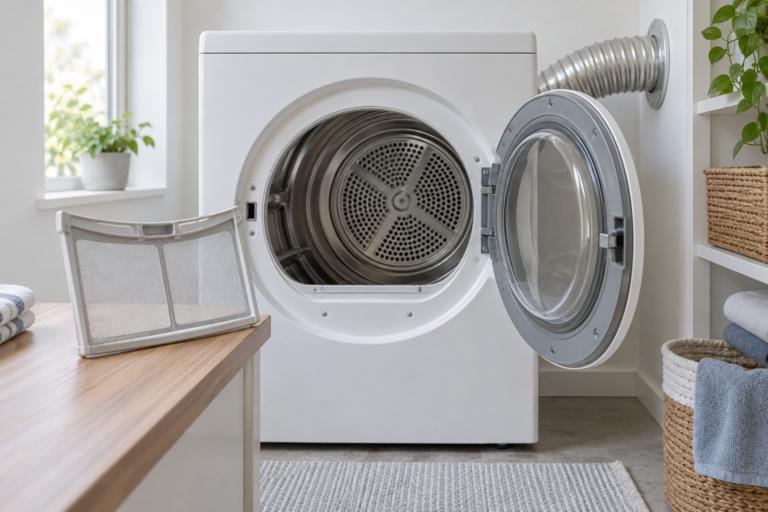
- Clean the normal lint screen using the manual's routine method, then reinstall it correctly.
- Look for an externally visible crushed or sharply kinked transition duct without moving a gas appliance or reaching behind a hot dryer.
- Check whether the outside hood is visibly blocked and whether recent loads had already begun taking longer to dry.
- Record whether the cabinet or clothes became unusually hot and whether the dryer made a strained hum, squeal, or scraping sound before it stopped.
A clean lint screen does not prove that the full exhaust route is clear. Long, concealed, roof-terminating, damaged, or inaccessible ducts need a qualified dryer-vent professional. Our dryer takes too long to dry guide explains the airflow clues in more detail.
Do not run the dryer only to watch the outside flap if the original shutdown involved a burning odor, smoke, unusual heat, electrical damage, repeated breaker trips, or a dryer that would not restart until it cooled. If any burning odor occurred, follow the dryer smells like burning guide instead.
If the door moved or a door warning appeared
A bulky or tightly packed load can press against the door, and laundry caught in the opening can prevent a secure latch. Whirlpool and Maytag also identify the door latch or switch as possible reasons a dryer stops during a cycle.
Once the dryer is off and cool, remove anything trapped in the opening and confirm that the door closes without being forced. Look for visible hinge movement, a cracked latch, or a door that sits unevenly. Do not tape the door closed, wedge the switch, hold the switch by hand, or strike the latch area while the dryer is running.
If the door will not remain securely closed, a door-related warning returns, or the dryer stops when the load shifts, leave it off and arrange service. The switch and its wiring are safety-related parts and generally require model-specific access.
If the panel stays on but the drum stops
A lit panel with no tumbling is not the same as a full power failure. Listen only from a safe distance: did the machine become silent, hum, squeal, scrape, or thump before the drum stopped? Do not reach into a moving drum, spin it by force, bypass the door switch, or remove a panel to observe the belt or motor.
Use the dryer not spinning guide when the controls accept the cycle but the drum does not tumble. If a new sound began first, the dryer making a loud noise guide helps describe the sound for service. A machine that becomes hot and restarts only after cooling needs the heat-related branch as well.
If an error code or light pattern appears
Photograph or write down the exact code before resetting anything. Codes and blinking patterns are model-specific; the same letters can mean different things across manufacturers. Check the manual for the full model number and follow the manufacturer's sequence.
Do not repeatedly clear a heating, voltage, motor, door, or airflow error to finish the load. Samsung's guidance, for example, routes recurring heating, voltage, motor, and door errors to specific checks or service. A generic internet reset can erase a useful clue without fixing the cause.
Should you reset a dryer that keeps stopping?
A reset is appropriate only when the exact manufacturer guidance calls for it and no hazard sign is present. It may clear a control state after an interruption, but it cannot clear lint from a duct, repair a loose power connection, correct a damaged latch, or fix an overheating motor.
Skip the reset and leave the dryer off when there is smoke, flame, gas odor, burning or melting-plastic odor, a hot or discolored plug or outlet, sparks, unusual cabinet heat, repeat breaker trips, weak airflow with overheating, or an error that the manual says requires service.
When to stop troubleshooting and call for service
Stop when a warning sign appears, the symptom recurs after safe model-approved checks, or diagnosis would require moving the dryer, opening its cabinet, testing live voltage, or handling an internal part. Use the Service threshold column above to choose whether the next step is appliance service, dryer-vent service, or an electrician. Do not recreate a dangerous shutdown to gather more details.
If the dryer never starts, does not heat, will not spin, smells like burning, or is mainly noisy rather than shutting off, use our dryer troubleshooting guide to switch to the matching symptom.
Sources
- U.S. Consumer Product Safety Commission: Overheated Clothes Dryers Can Cause Fires
- U.S. Fire Administration: Clothes Dryer Fire Safety
- LG: Why Does My Dryer Turn Off Abnormally?
- Samsung: Dryer Loses Power or Won't Turn On
- Samsung: Clothes Are Not Dry After Using the Dryer
- Whirlpool: Why Does My Dryer Keep Stopping?
- Maytag: Why Does My Dryer Keep Stopping Mid-Cycle?