GE Dishwasher Beeps 3 Times and Won’t Start? Check This First
Quick answer
Three beeps do not identify one failed part across every GE dishwasher. GE says beep and light meanings vary by model. Before buying a latch or control board, record the model number, note exactly when the beeps occur, and check the model-specific Start sequence. Then rule out Control Lock, Delay Start, visible door interference, and a reset that is still in progress. If the same response returns after GE’s documented reset—or there is leaking water, a burning smell, damaged wiring, or a breaker that trips—stop using the dishwasher and arrange service.
Three beeps are a symptom, not a universal parts diagnosis
An immediate three-beep response often means the dishwasher has not accepted the command to start. That does not establish why. The controls may be locked, Delay Start may be active, the door may not have engaged correctly, or the control may be waiting for a model-specific step.
The sound also needs context. GE’s general support guidance distinguishes a beep that repeats every 30 seconds or every minute during an interrupted cycle from a blinking Start or Start/Reset light during a reset. A triple beep heard immediately after pressing Start is not automatically the same signal.
That distinction matters because many repair discussions jump directly from “three beeps” to a failed latch or control board. A model number and the timing of the sound are better evidence than the number of beeps alone.
Match the sound and light pattern before choosing a fix
| What happens | What it may mean | Safe next action | Stop or escalate when |
|---|---|---|---|
| Three beeps immediately after Start and no cycle begins | The model has refused the start condition; the sound alone does not identify the failed part | Record the model number, check the manual’s Start sequence, and review the controls and door engagement | The response returns after the correct sequence and documented reset |
| A beep repeats every 30–60 seconds during an interrupted cycle | Some GE models use a repeating beep as an open- or unlatched-door reminder | Close the door and resume the cycle exactly as the model manual directs | The door will not engage or the cycle still will not resume |
| Start or Start/Reset is blinking | The unit may be resetting or waiting for input, depending on the model | Wait for the documented reset period before pressing more buttons | The state does not clear after the specified time and reset |
The display shows 2H, 4H, or another hour value | Delay Start may be active | Cancel Delay Start using the instructions for that model | The display or controls do not behave as described in the manual |
| Lights and sounds work, but the cycle will not start | Control Lock, Demo Mode, a door condition, or another model-specific protection may be active | Use the model manual to check enabled features, then inspect only visible door interference | No documented external check restores operation |
| Water is outside the tub, wiring looks damaged, there is a burning smell, or the breaker trips | A water or electrical hazard may be present | Stop using the dishwasher and isolate power only if that can be done safely | Arrange qualified service; do not continue resetting or open panels |
Find the model number before trying button combinations
Open the door and look for the model-and-serial label around the tub opening or just inside the door area. The exact label position can vary. Enter the full model number in GE’s Owner Center and open the matching owner’s manual.
This step prevents two common mistakes: using a button sequence meant for another control panel and treating a normal reminder tone as a diagnostic code.
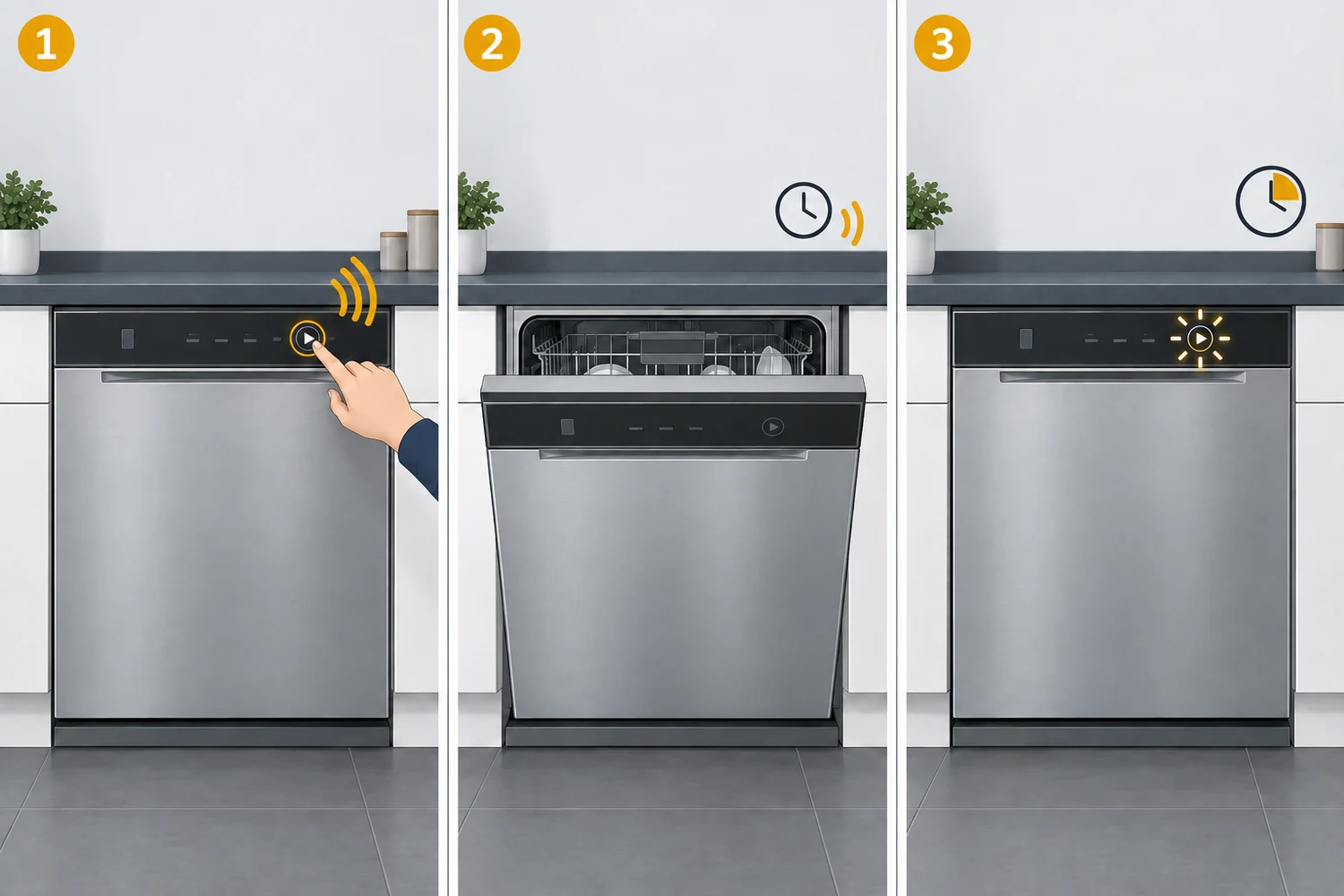
For example, GE’s manual covering the GDT225–226, PDT145, GPT145, and GPT225 series says to select the cycle with the door open, press Start, and close the door within four seconds. If a paused cycle is not restarted within four seconds, the Start light blinks and the dishwasher beeps once per minute. Another model family may use different timing or controls, so do not copy this four-second procedure unless your manual gives the same instruction.
Check the no-parts causes in this order
1. Check Control Lock in the owner’s manual
Most electronic GE dishwashers have a control-lock feature, but the buttons used to turn it on and off vary. Look for a lock light, lock symbol, or a control combination in the manual for your exact model.
Do not press several guessed button combinations. Besides wasting time, a random sequence can enable another option and make the control state harder to understand.
2. Look for Delay Start
A display such as 2H or 4H can indicate the number of hours remaining before the cycle starts. Opening the door does not necessarily cancel Delay Start. Use the model manual to cancel the delay rather than assuming the dishwasher ignored Start.
If the display does not show an hour value, move on instead of repeatedly pressing Delay Start.
3. Inspect what you can see around the door
Pull both racks fully into position and remove anything that extends past them. Check for a utensil, pan handle, rack, cabinet trim, insulation, or countertop edge that prevents the door from closing flush. Look at the visible strike and latch area for debris or obvious damage, but do not insert a tool or manually depress the latch.
Close the door normally. Do not slam it, force it against an obstruction, or hold it inward while attempting to defeat the safety switch.
4. Repeat the exact Start sequence for the model
Some top-control models require Start to be pressed before the door closes and allow only a short time to complete the sequence. Other designs differ. Follow the order and timing in the manual, including any instruction for resuming an interrupted cycle.
If Start or Start/Reset is already blinking, wait before trying again. GE says that on some models the light can blink for 75–90 seconds while a reset completes.
5. Use GE’s documented reset path once
GE’s general beeping guidance recommends pressing Start/Reset and waiting two minutes. If the problem remains, GE advises disconnecting power at the circuit breaker or fuse for 30 seconds and then restoring it.
Use that reset once after the external checks above. Do not repeatedly cycle the breaker or extend the power-off time based on forum advice. A reset that briefly clears the symptom but does not keep it from returning has not identified the failed part.
When the door or latch becomes a reasonable suspect
The door path deserves closer attention when the door will not close flush, a rack or cabinet part interferes, the strike or latch has visible damage, or the model manual identifies the observed light-and-sound pattern as an open-door condition.
Even then, the next step is model-specific diagnosis—not buying a latch from the sound alone. The latch, strike, wiring, user-interface control, and main control can participate in the door-closed signal on different designs. Replacing the cheapest suspected component first can leave the real problem unchanged.
Do not bypass the latch, run the dishwasher with the safety switch manually held, remove the inner door panel, or test switch continuity unless the work is being performed under the correct service information by someone qualified to work on the appliance. GE’s manual says not to repair or replace parts unless the manual specifically recommends it and directs other servicing to a qualified technician.
What if the dishwasher hums instead of starting?
A slight hum followed by no fill is a different symptom from an immediate triple-beep refusal. GE publishes a model-family-specific hot-water step for certain dishwashers that hum but will not run, but that instruction should not be applied to every three-beep complaint.
If the machine begins a cycle, hums, and then does not fill, use the dishwasher not filling with water guide and the manual for your model. If it only beeps and never begins, stay with the start-condition checks above.
Stop troubleshooting and arrange service when
- the same three-beep response returns after the correct Start sequence and one documented reset;
- the manual’s description does not match the sound or light pattern;
- the door, strike, latch, power cord, or visible wiring is damaged;
- water is leaking outside the intended tub area;
- the breaker trips again after power is restored;
- there is a burning smell, abnormal heat, smoke, or sparking; or
- the next diagnostic step would require panel removal, continuity testing, live electrical measurements, or control-board work.
If water is present near electrical components or on the floor, do not touch a wet plug, cord, switch, or appliance surface. Keep people away from the area and isolate power only if you can reach the appropriate breaker without contacting water.